» BackShare Live Location of Your Loved One Using AngelSense
This feature was developed based on real-life situations in which caregivers needed to share their loved one’s location quickly with Search & Rescue personnel, having them set up as Guardians or First Responders ahead of time.
Share Location enhances the access and ability to share tracking capabilities with someone. This feature takes the First Responders concept to a new level. Sometimes, you just want to give someone temporary and limited access to the current location of your AngelSense device. It does not require them to download the app and log on as a Guardian, School Guardian or to be added as a First Responder.
Share real-time access to your app with:
- Law enforcement personnel in the field
- School staff in case of elopement (if they aren’t School Guardians)
- Caregiver, babysitter or grandparent – add them for a few hours to the app
How does it work?
A link to the AngelSense app showing the current location and timeline for the access duration that was set (up to 24 hours) is shared by text message or email. It turns off automatically at the time you set, or you can manually turn it off at any time before. (including anyone that has access to the link)
You can send to an unlimited number of people. Note that the link can be forwarded by the recipient as needed. When it is turned off, the link is no longer valid. Next time you use the feature, a new unique link is created.
You will see two options to share the location of your loved one:
- Current Location: This option will send a Google Maps link with the current location of your loved one. This link only shows the location at that current time and gives no further updates.
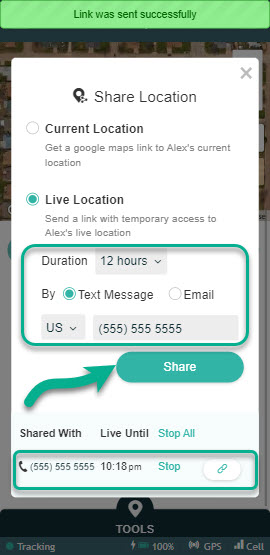
- Live Location: This option will send a link for the person you invite to login to the AngelSense app to track your loved one during a set time or until you revoke their access.
*App Versions below 4.0.0
Current Location
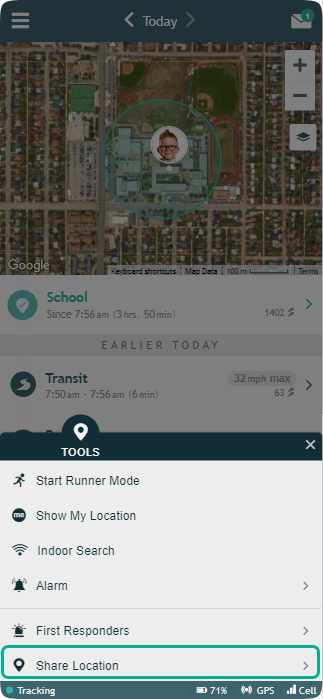
1. Go to the Tools Menu on the bottom and select “Share Location”
*App Version below 4.0.0
*App Version 4.0.0 and above
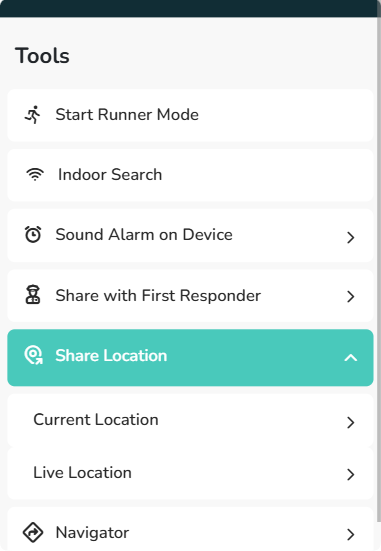
2. Select ‘Current Location’
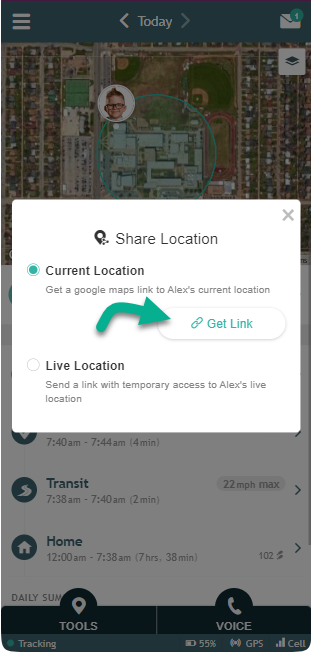
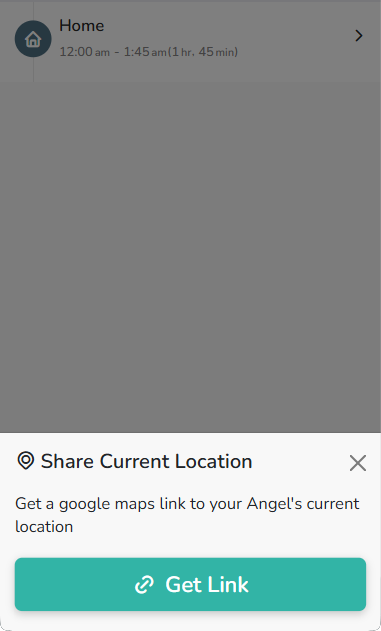
3. Select ‘Get Link’ and the link is automatically copied to your clipboard. You can then paste this link into a message to another person to send the current location.
*App Version below 4.0.0
*App Version 4.0.0 and above
Live Location
1. Go to the Tools Menu on the bottom and select “Share Location”
*App Version below 4.0.0
*App Version 4.0.0 and above
2. Select ‘Live Location’
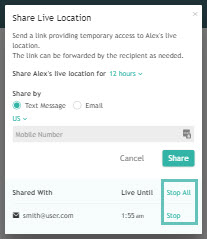
3. Enter either the email address or mobile number of the person you want to invite and select ‘Share’. The link will automatically be sent to them to track live for the duration that you have set or until you select ‘Stop’. Those that you have shared the Live Location with will show at the bottom.
*App Versions below 4.0.0
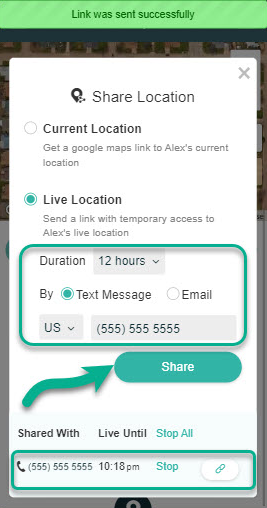
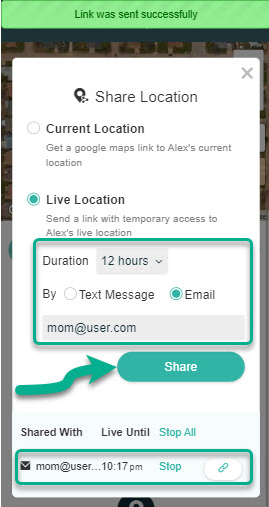
*App Version 4.0.0 and above
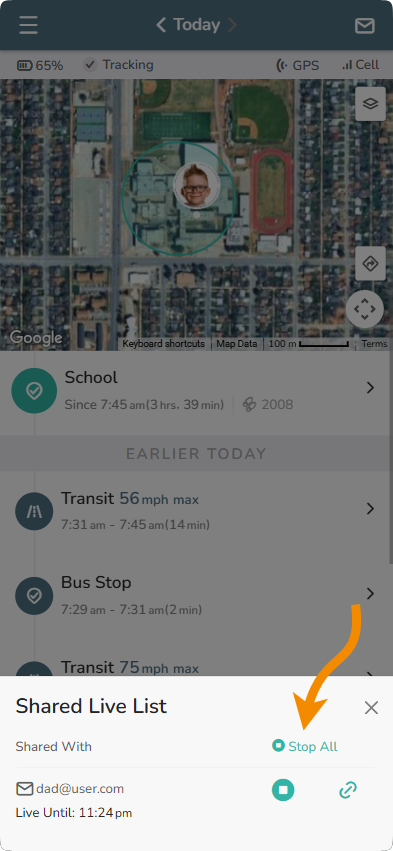
Clicking on ‘Shared Live List’ will show those that you have shared Live Location with.
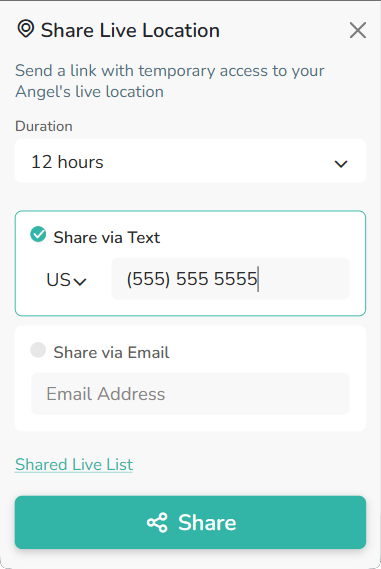
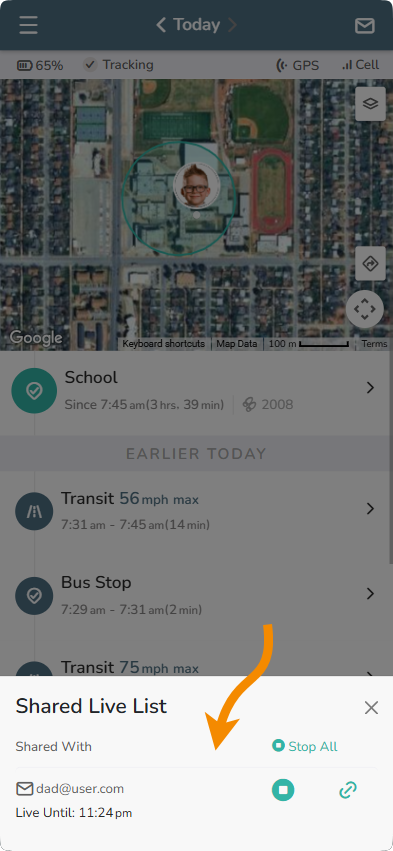
To stop Share Live Location go back to the Tools Menu on the bottom and select “Share Location” again. You can Stop sharing with one person by selecting ‘Stop’ next to their information or with all of them by selecting ‘Stop All’.
*App Versions below 4.0.0
*App Versions above 4.0.0
What does the recipient of the link see?
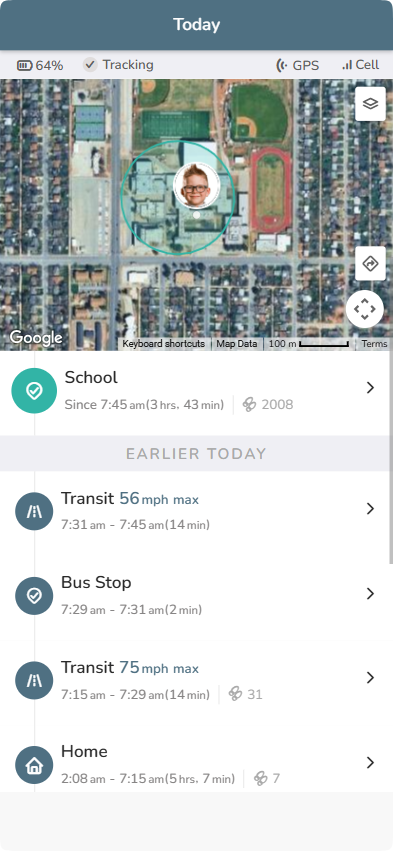
The map and today’s timeline until the time you set. After their app access has ended, they will no longer be able to see the timeline.