» BackAlarm
The alarm feature is designed to help you locate your loved one when nearby in a crowd, indoors, or hiding. It can be activated remotely from any distance by guardians who are authorized to call the device. When activated the device makes an audible alarm sound that helps you find your loved one.
Which device do you have?
Alarm on GPS 4

- Open the Tools Menu on the bottom and click Alarm.
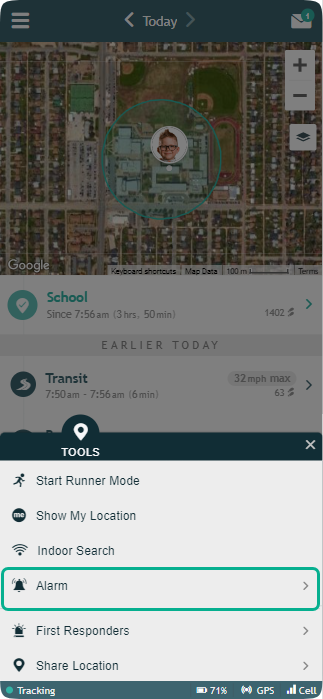 (App Version below 4.0.0)
 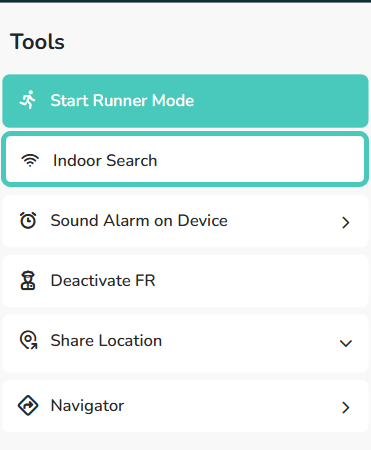 (App Version 4.0.0 and above)
2. Select either Soft Alarm or Loud Alarm
(App Version below 4.0.0)
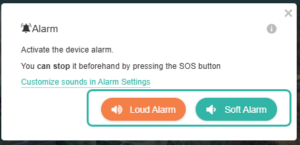
(App Version 4.0.0 and above)
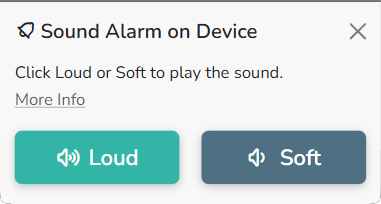
3. The Alarm will sound for the length of time you have set up in your alarm Settings and then automatically turns off.
4. If you wish to stop the Alarm before the set length of time, you can put the device on the charger to stop the Alarm.
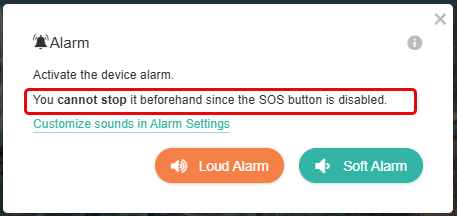
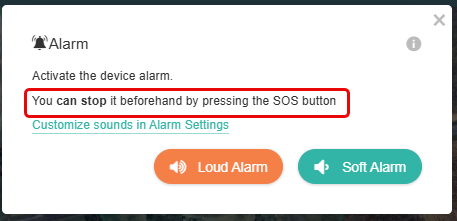
*App Version below 4.0.0: You will see the status of the SOS button
- Enabling the SOS button will allow the Angel to stop the Alarm
- Disabling the SOS button will prevent the Angel from stopping the Alarm.
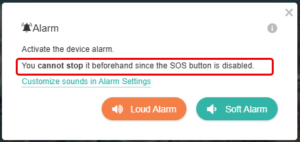
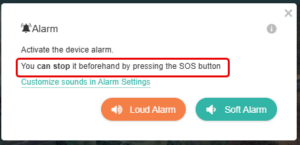
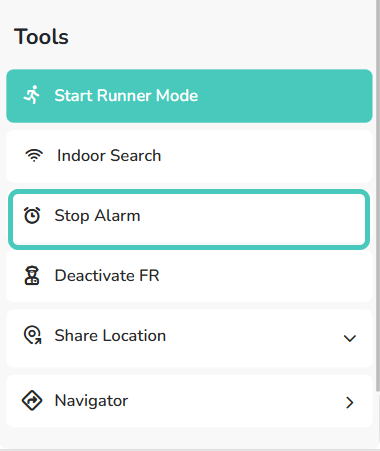
*App Version 4.0.0 and above: You can stop the Alarm from the app.
GPS 4 Alarm Settings
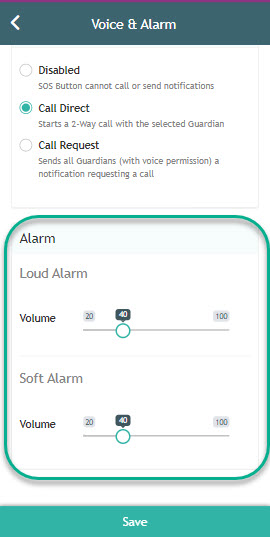
- Open Menu on the left hand side, select ‘Settings’ select ‘Voice & Alarm’
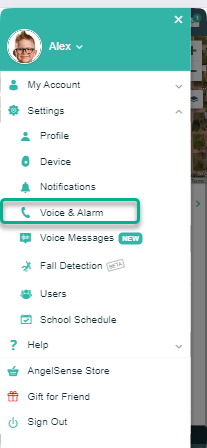 (App Version below 4.0.0)
 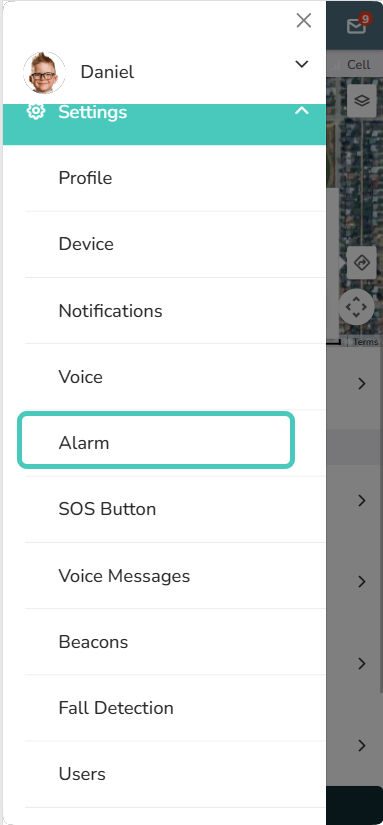 (App Version 4.0.0 and above)
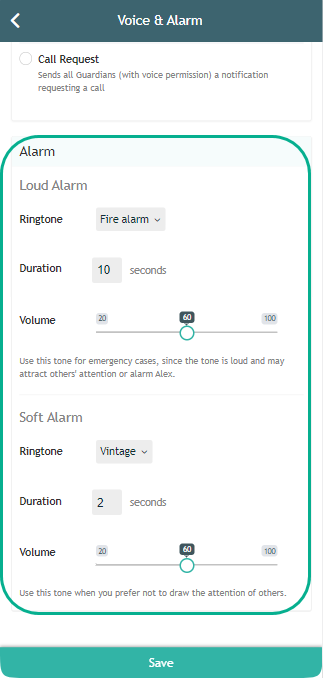
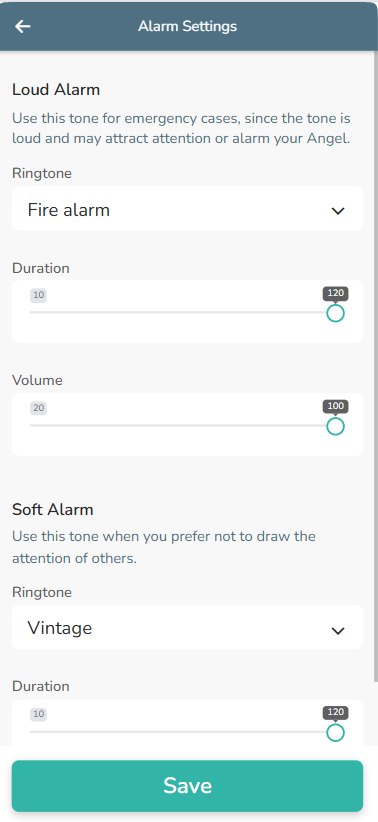
Customize your different Alarm settings for the two different Alarms: Choose a separate ringtone, decide on the duration that it will sound, and adjust the volume.
(App Version below 4.0.0)
(App Version 4.0.0 and above)
*You can stop the Alarm from the Tools Menu at any time
Alarm on Watch

- Open the Tools Menu on the bottom and click Alarm.
(App Version below 4.0.0) 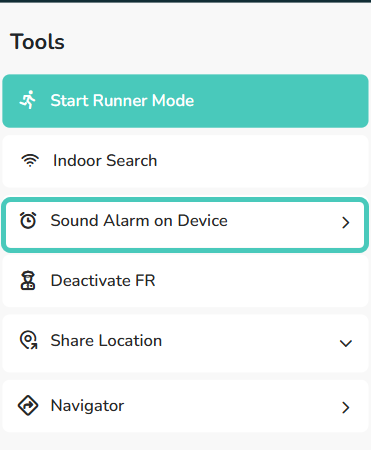 (App Version 4.0.0 and above)
2. Select either Soft Alarm or Loud Alarm
(App Version below 4.0.0) (App Version 4.0.0 and above)
3. The Alarm will sound for 2 minutes and then automatically turns off.
4. If you wish to stop the Alarm before the set length of time:
*App Version 4.0.0: You will see the status of the SOS button
- Enabling the SOS button will allow the Angel to stop the Alarm
- Disabling the SOS button will prevent the Angel from stopping the Alarm.
*App Version 4.0.0 and above: You can stop the Alarm from the app
Watch Alarm Settings
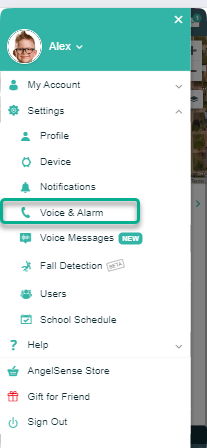
- Open Menu on the left hand side, select ‘Settings’ and select ‘Voice & Alarm’
 (App Version below 4.0.0) (App Version 4.0.0 and above)
Customize your different Alarm settings for the two different Alarms by adjusting the volume.
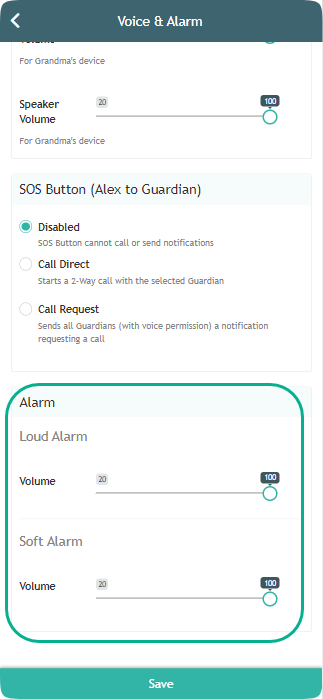 (App Version below 4.0.0)
 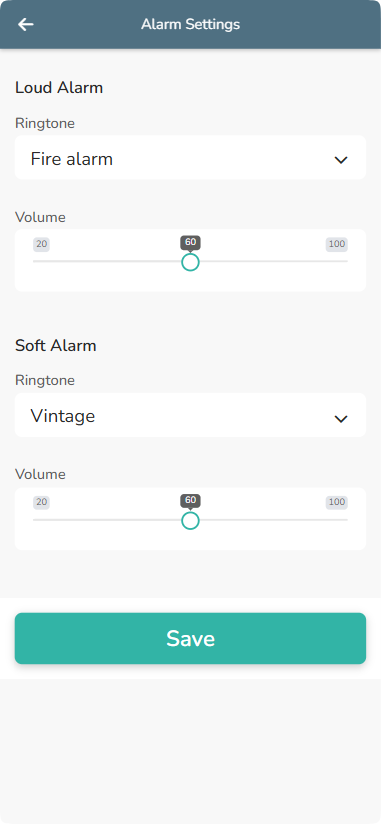 (App Version 4.0.0 and above)
If you have any questions or need assistance, please contact Customer Care