School Guide for Parents
Complete guide with information for parents on using AngelSense at school and its customizable features.
GO »
This article describes the details of editing the School Schedule.
Primary Guardians and School Guardians have access to the School Schedule under Settings:
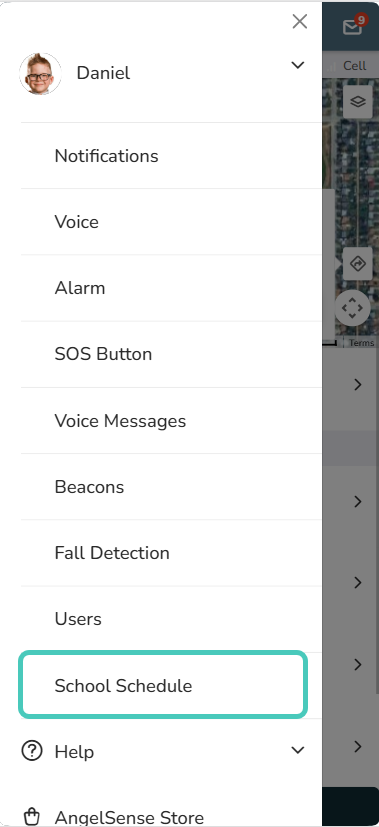
1. Go to your Menu on the left hand side and click “Settings” and “School Schedule”
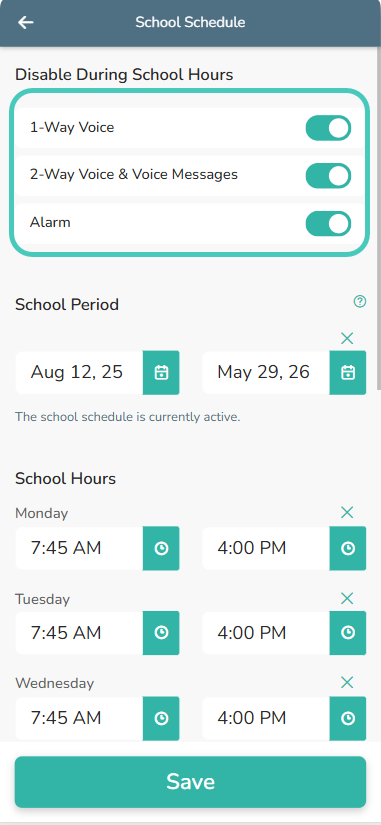
2. Select which features you will need to have disabled during school hours; 1-Way Voice, 2-Way Voice, and Alarm.
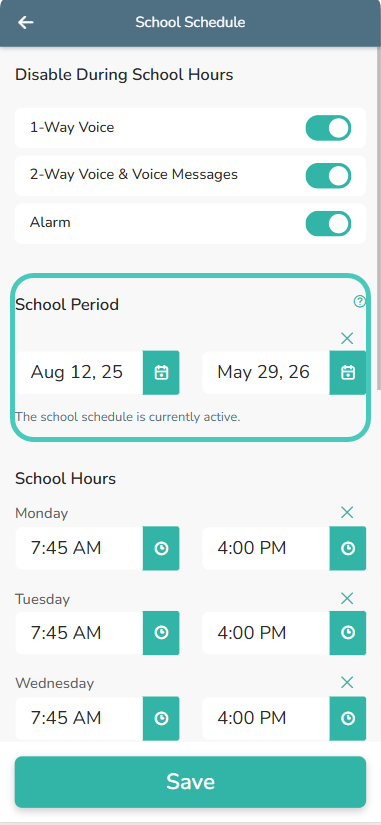
3. Set the dates from when school starts at the beginning of the school year to the end of the school year.
4. In the “School hours” section, click on the clock icon to enter in the time school starts and ends for each day. This gives you the ability to have different start and end times for different days.
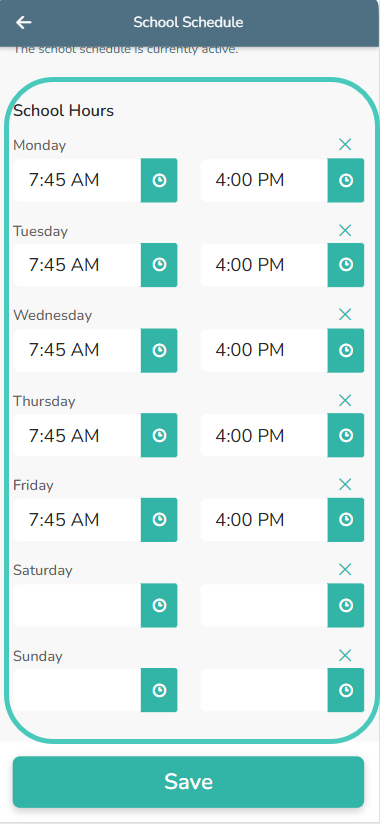
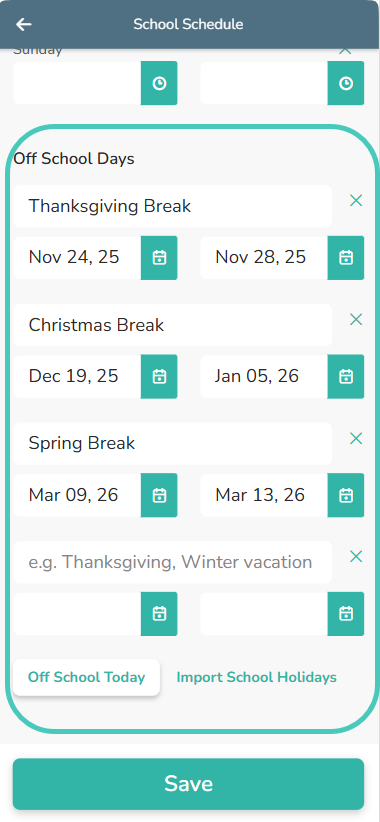
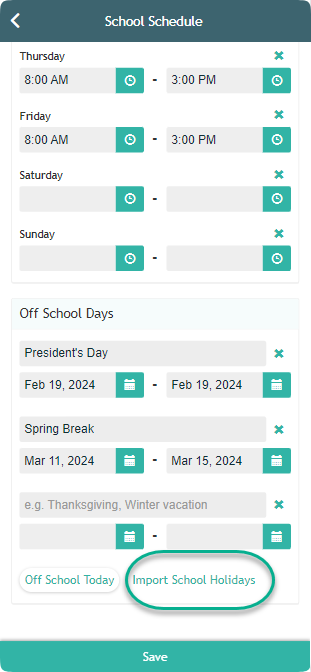
4. Scroll down to see the “Off School Days”.
5. Click “Save” and you’re done!
Complete guide with information for parents on using AngelSense at school and its customizable features.
GO »
This guide helps schools understand how AngelSense works and highlights the benefits of using the device at school.
GO »
If school requires disabling the voice features during school hours, you can add a School Guardian. If you simply would like to provide your school full access to the app, just add them as a regular Guardian. A Primary Guardian can manage School Guardians from their app's Menu on the left hand side and clicking on "Settings"...
GO »
AngelSense is the only GPS tracking device for kids that offers an optional School Dashboard for school staff and teachers. This is entirely optional for schools and even without access to the dashboard features can be automatically disabled during school hours to comply with school policies and regulations. Access to the dashboard requires the parents' permission...
GO »
Yes, AngelSense is allowed in schools nationwide. Thousands of schools across the country have not only welcomed AngelSense but fully embrace its use, especially by special needs students. Many schools have even sponsored and paid for the device as a part of complying with their school safety requirements for special needs. The lifesaving features and...
GO »