Activating a replacement GPS 2 device-x
Note: GPS 1 (AT&T device) guidance is available here
Once you receive your replacement device and have charged it, Primary Guardians can activate it in the app.
1. Go to the Menu on the left hand side and click “Settings” and “General”
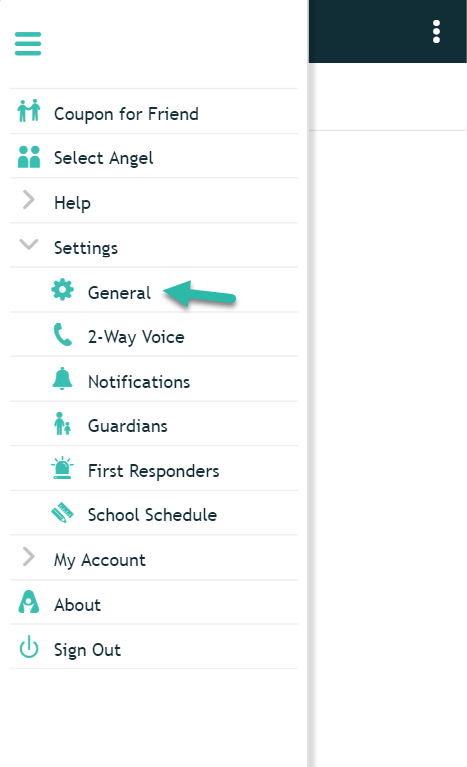
2. Look at the back of your device for the device’s ID number and select it in your app.

3. Click “Save” and you’re done!

*NOTE: The GPS 1 is the default device when you order.
Verizon is updating its network to cover only new technology and some, like our GPS 2, will be phased out over time. They will no longer be activating new 3G devices, but this does not affect our current GPS 2 device. We are in the process of working on a solution that meets all of our clients’ needs so that we are prepared when the time comes. Please do not worry, as we are making sure to plan ahead and there will be no service interruptions. As soon as we have more information we will reach out to you.