Unusual Route Alert
What does an Unusual Route alert mean?
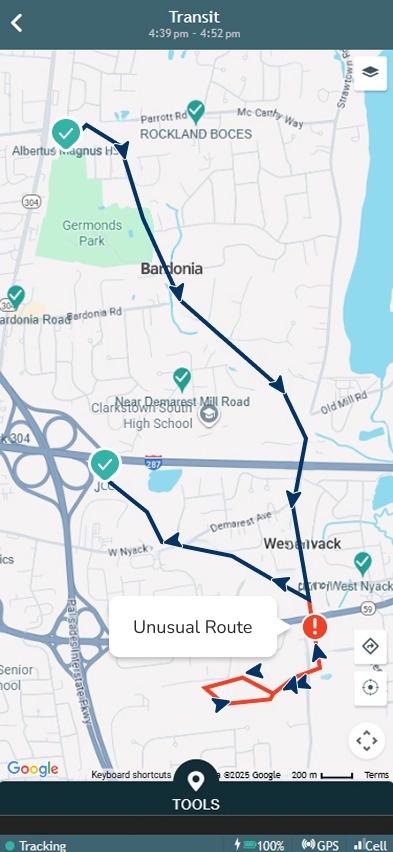
Unusual Route Alert is a new safety feature that lets you know when your loved one’s route changes in an unexpected way compared to their usual trips.
Over time, the system learns your loved one’s regular transit patterns. When your loved one is in transit, and the route does not match what is normally expected, an alert is sent
How does Unusual Route detection work?
There are two types of Unusual Route alerts:
- The angel is in a place they have never been before (similar to “arrival to unknown,” but during a transit).
- Notification: ‘David’s route is different from usual.’
- The angel usually has a routine at that time (for example, Sunday at 8 AM going from home to the bus stop or school), but takes a different route instead (for example, going to grandma’s).
- Notification: ‘David’s route is different from the usual route taken from Home around this time on Sunday’
Why is this alert important?
This alert can be important if something unusual happens during a transit.
For example:
- A child usually walks along the same streets, but one day goes in a different direction
- A bus driver takes a different route or drives to a place other than the usual destination
- A child gets off the school bus at a different stop and goes somewhere else instead of going to school
In such cases, the alert helps you notice the change early and check that everything is okay.
How can I turn it off?
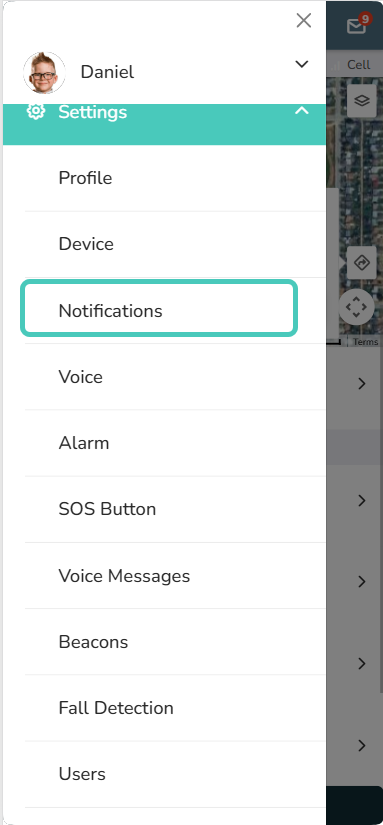
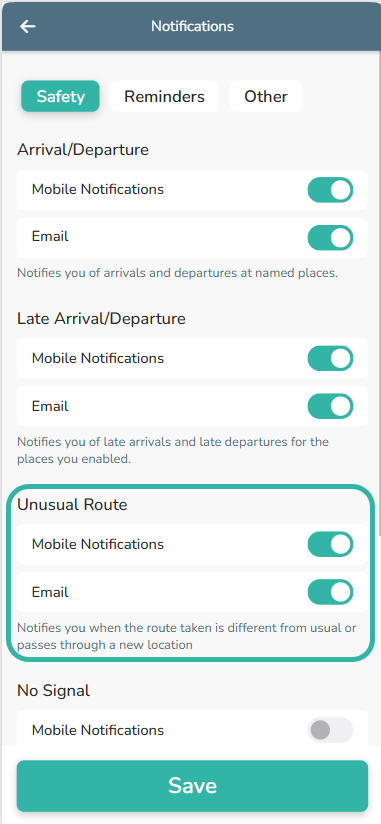
If you receive too many Unusual Route alerts, you can turn off the notifications from the Settings menu –> Notifications.
What should I do when I get this alert?
- First, open the app and check your loved one’s current location on the map.
- If the location or route looks unusual or concerning, you can call the device to make sure everything is okay.
- In many cases, the alert is explained by a normal change in routine, and no action is needed.
Can this alert be triggered by mistake?
Yes. In some cases, the alert may be triggered even when everything is okay. This can happen due to GPS inaccuracies or a one-time change in routine (for example, a new place or a special event)
When the angel goes to the same place again, the system learns this behavior, and in most cases an alert will not be triggered next time.
I went to a new place, but didn’t get an alert. Why?
There are a few possible reasons. You may have been near this place in the last few weeks, so the system does not treat it as new. Another reason could be that the device is in medium or high power-saving mode. In this mode, the system cannot reliably learn usual routes, so Unusual Route alerts are automatically disabled.
If neither of these applies, please contact our support team. We’ll be happy to help.
You can reach us by email at support@angelsense.com or find additional contact options on our customer support page.