» BackSchool Guardian Notifications
Some schools require that parents disable the voice features during school hours due to privacy concerns. To make sure our children are allowed to use the device at school we provide a feature to disable the voice features during school hours. Notifications regarding the voice features can be sent to School Guardians and parents.
Notifications that can be sent include:
- Daily notification of voice features being disabled before school
- Daily notification of voice features being enabled after school
- Notification anytime there are changes made to the School Schedule
- Entrance and exit notifications for the device, only during school hours
As an AngelSense School Guardian, if given access to notifications by the Primary Guardian, you can configure how you wish to receive notifications from within the app itself.
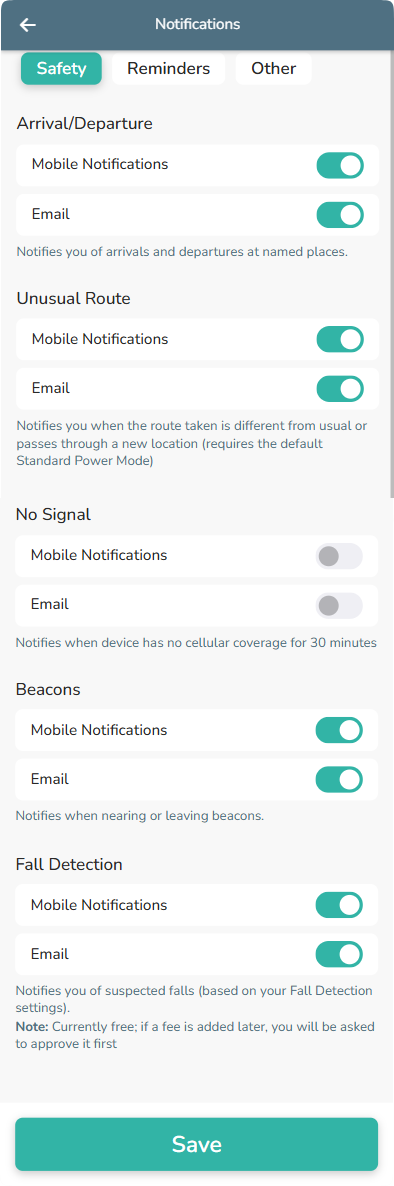
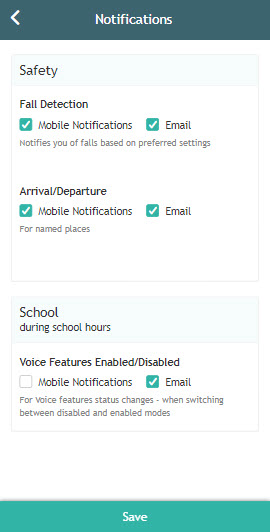
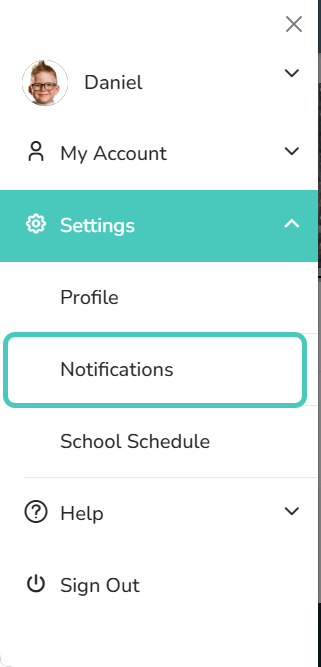
1. Click “Settings” from your app’s Menu and then click “Notifications”
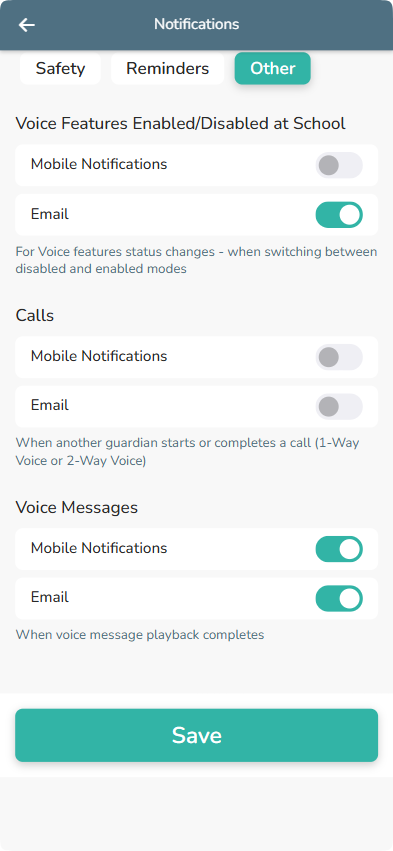
2. Check the boxes to update which notifications you would like to receive and how you wish to receive these notifications. (Notifications are sent only during the set school hours)
- Safety:
- Arrival/Departure: Notifies you of arrivals and departures at named places.
- Unusual Route: Notifies you when the route taken is different from usual or passes through a new location.
- No Signal: Notifies when the device has had no cellular reception for at least 30 minutes.
- Beacons (*Coming Soon!*): Notifies when nearing or leaving beacons.
- Fall Detection: Notifies you of suspected falls
- Reminders: (There are no reminder notifications for School Guardians)
- Other:
- Voice Features Enabled/Disabled: For voice feature state changes, which includes switching between being disabled and enabled and when an update is made to the School Schedule.
- Calls: When another guardian starts or completes a call to the device
- Voice Messages: When a voice message playback completes
3. Click “Save” and you’re done!